
Conquering Condes for Coaching! – Tools and Tips from the latest SOA Coach CPD Forum
Report by Katherine Ivory
Are you getting the most as a coach from your planning software? Technical competency can really help with planning good sessions, but obviously involves learning an additional set of skills. SOA has a wealth of support available amongst its active members, ably demonstrated at the most recent online Coach CPD session on Wednesday evening. We had an excellent session led by Lynne Walker (BASOC) on using Condes for coaching, with coaches from clubs including FVO, Interlopers, INVOC, Moravian and TAY getting together to learn some very useful tools and tricks.
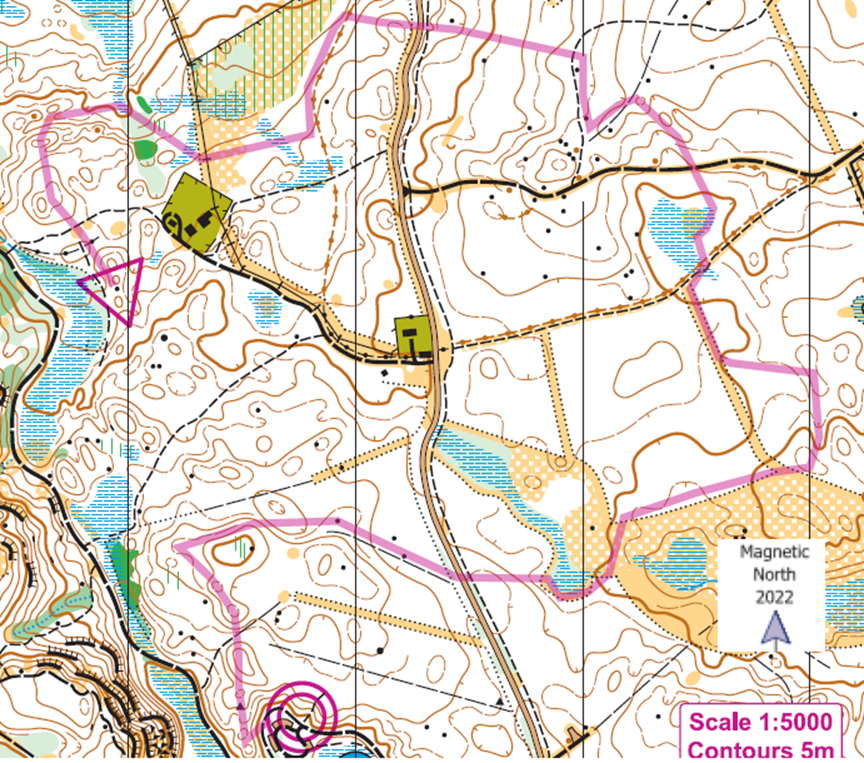
Core to quality coaching is, of course, clear purpose. Lynne reminded us that ‘why am I doing this?’ is a key question: just because I can doesn’t mean I should! The starting point is always a clear plan around what the session’s attendees are to learn and practise – whether direction, distance, picturing, or something else.
We started by looking at how canvasses can be added in a Condes file to allow maps to produced at different print scales to meet different needs. There were some useful reminders and tips too, e.g., around cutting circles as needed for map features, and locking controls when collaborating to avoid any risks of unwanted moving-around. We then moved on to practical exercises, e.g., creating ‘windows’ exercises masking the map then creating cut-outs round the control circles. Always think about what your coaching participants need to be able to see, for their learning as well as for safety (e.g., do you want to make a road visible, or perhaps have a key feature visible as a relocation feature).
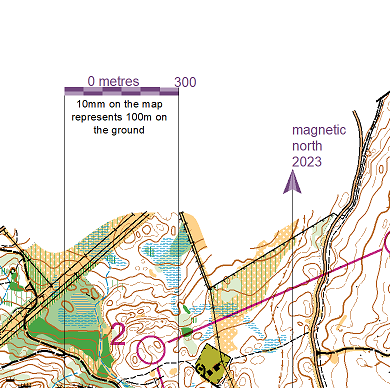
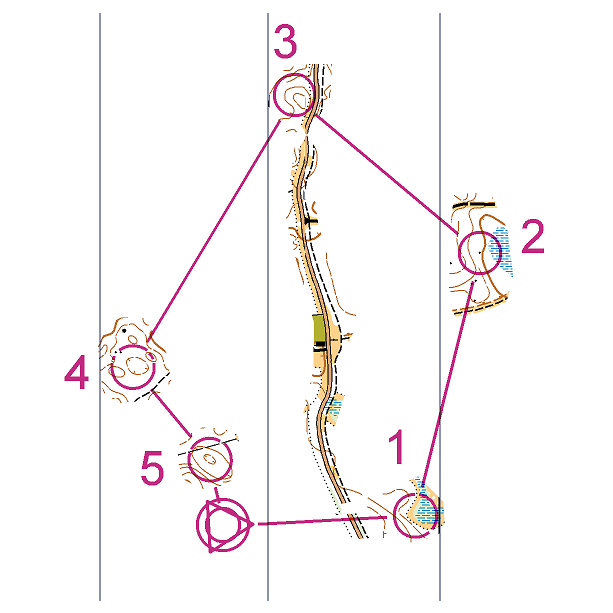
Lynne had prepared a set of helpful guidance notes covering some of the things we might want to do, e.g., creating a line exercise, hiding map symbols or colour layers, and setting up windows or corridor exercises. A coaching session might involve removing path features, or contour detail. Perhaps, for example, you want to reduce map complexity but leave index contours so participants can get the ‘big picture’ of the area without being distracted by micro detail. Lynne also provided some useful graphics (always remember to add a north arrow and scale to your exercises!) as well as tips on printing out exercises efficiently.
Using planning software to adapt maps can really help coaching sessions and meeting different needs where there is a range of abilities and experience. In simpler areas, map adjustments can easily make ostensibly simple exercises much more challenging and productive for learning.
Next Steps – Coaching Resources to Explore and Future Coach CPD Forums
A recording of the session is available for those who missed it along with all the supporting files and notes
There are also loads of other useful resources in the Coaching Corner Google drive
If you’re looking to boost your thinking around productive coaching, whatever your experience or coaching-session level, do get involved in the Coach CPD forum – it’s a great way to meet others and share practical experience, tips and ideas. Contact Suzanne for future Coach CPD dates.
Many thanks to Lynne Walker BASOC for a great session, and Suzanne for organising.